


AnyStories-Top Novels & Books
4.4895.00 Reviews
App Specs
- Version
- 3.1.6
- Updated On
- License
- Free
- Downloads
- 500,000+
- Developer
- HONG KONG ZHONGHE CO.,LIMITED
- Categories
- Books & Reference
- Platform
- Android
Screenshots
 Analysis by AppCompare
I came to AnyStories-Top Novels & Books looking for something easy to pick up between errands, and its romance, fantasy, and werewolf-focused fiction gives the app a clear identity. It’s a free reading app from HONG KONG ZHONGHE CO.,LIMITED, aimed at readers who enjoy serialized stories and want a steady supply of dramatic plots on a phone. I found the best way to approach it is as a place to sample ongoing fiction, not as a replacement for every kind of book library.
Why serialized romance is the main draw
AnyStories’ strongest appeal is the promise of a continuing story: a chapter can fit into a short break, while cliffhangers make it tempting to return later. Romance and fantasy often work especially well in that format, since relationships, rivalries, and supernatural stakes can unfold over time. Werewolf fiction adds a recognizable fantasy angle for readers who like intense bonds and heightened drama. If those are already your comfort genres, browsing here feels more focused than opening a general ebook catalog and sorting through unrelated titles.
That focus also sets expectations. I wouldn’t choose the app when I’m in the mood for reference books, literary nonfiction, or a single carefully edited volume to read from start to finish. Its central use is discovering fiction and following stories, so readers who want a broad bookstore experience may be happier with a general ebook service or a local library app.
How I’d fit it into an ordinary day
For me, the practical appeal is the small reading window. Imagine waiting for an appointment or sitting on the bus: I can open a story, read a few chapters, and stop without needing to remember a complicated plot from a long session. Before settling in, I’d browse a little and choose one book rather than opening several at once. That small habit makes it easier to tell whether a story’s voice and pacing suit me, and it avoids turning a quick break into an endless search through recommendations.
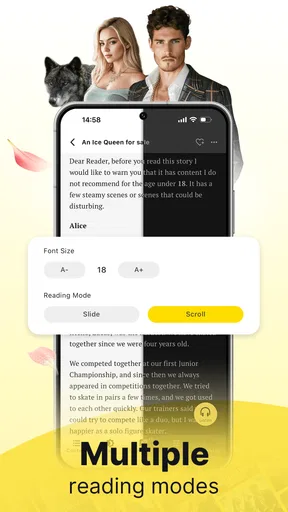
The app’s reading controls can help make those short sessions more comfortable. I’d adjust the text size and background early, especially if I expect to read in dim light, rather than repeatedly changing settings halfway through a chapter. The original article describes a night mode and offline reading; downloading a story before a commute or flight is a sensible preparation, but I’d still open it once while connected to make sure the download is ready. That is a useful routine for any reading app, not a guarantee that every title is available offline.
Browsing with a little more intention
Recommendations can be a convenient starting point, but I wouldn’t treat them as a verdict on what I should read next. A suggestion based on recent reading may keep serving similar moods when I actually want a change. I’d use the genre browsing to find a new direction, then judge a book by its opening and writing style. If the first chapters don’t hold my attention, moving on is more useful than finishing something just because the app surfaced it.
Another practical tip is to keep track of why a story appealed to you. Was it the romantic tension, the fantasy setting, or the werewolf premise? Remembering that makes it easier to evaluate later recommendations and avoid choosing a book only because its cover or title looks dramatic. Since serialized fiction can take time to develop, I’d give a promising story enough room to establish itself while also setting a personal limit: if the pacing still feels stalled after a reasonable sample, I’d switch rather than keep reading out of habit.
Worth Reading Before You Choose

Flipboard Shows What News Apps Must Do Beyond the Feed

Switching to Android Auto Means Rethinking Your Driving Routine

Google Calendar Makes a Crowded Week Easier to Manage

Ludo King Makes the Most of the Minutes Between Plans

Baby Panda World Brings Quick Play to Modern Phones, but Its Game Library Feels Busy

ESPN’s Live Game View Makes Following Close Games Easier
Reading, community, and the trade-offs
I’d also think about how I want to read before joining a chapter discussion: comments can add a fun second layer to a dramatic reveal, but they can pull me away from the story’s own pacing. For a quieter session, I’d save reactions until I’ve finished the chapter and decide whether I’m looking for conversation or simply a good stopping point. That distinction matters most when choosing how to use the community features.
What the social side adds
The chapter comments described in the original experience can make a continuing story feel less solitary. I can see the appeal of reading a dramatic reveal and immediately seeing how other readers interpret it. That works best when I want reactions and theories, rather than quiet concentration. If comments risk spoiling a chapter for you, I’d finish the section before opening the discussion and avoid treating other readers’ predictions as reliable hints about what happens next.
The publishing and feedback angle also gives the app a different feel from a conventional ebook shelf. Readers may encounter work by emerging writers alongside stories they already follow, while writers have a place to share their fiction and hear responses. The trade-off is that a community-driven catalog can feel less consistent than a bookstore built around a familiar editing and publishing process. I’d approach a new title as a sample first, not assume that every story will have the same polish or pacing.
Cost, access, and choosing the right reader
The app is free to install, but it includes in-app purchases ranging from $0.49 to $299.99 per item. That wide range makes it worth checking the cost of any specific purchase before confirming it, especially if a story’s chapters encourage you to keep going. I would not assume that free installation means every book or reading option is free. The earlier description also mentions a subscription model, but I’d make a decision based on the current price shown inside the app rather than rely on a general promise of savings. A simple budget rule—decide what you’re comfortable spending before starting a long serial—can prevent a cliffhanger from making the choice for you.
AnyStories has a 4.3 average from around ten thousand ratings, with more than a hundred thousand installs. Those figures suggest that it has attracted a meaningful audience, but they can’t tell me whether its current catalog matches my taste. It is rated Mature 17+, so it is not a good fit for younger readers, and adults should still use their own judgment about the themes in individual stories. The app launched on February 14, 2025, and version 2.3.4 supports Android 6.0 and later.
I’d recommend it most to adults who specifically enjoy romance, fantasy, and werewolf serials, like reading in short bursts, and are curious about reader discussion. It is less compelling for someone who wants a quiet, ad-free, one-time purchase reading experience, a large nonfiction selection, or a catalog centered on established print titles. Compared with a library app, it leans toward discovering and following digital fiction rather than borrowing a broad mix of books; compared with a general ebook store, its genre emphasis is a benefit only if those stories are what you want.
First Impressions
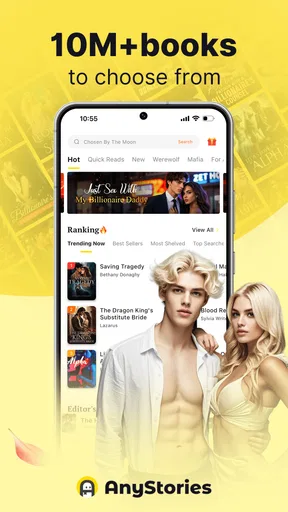
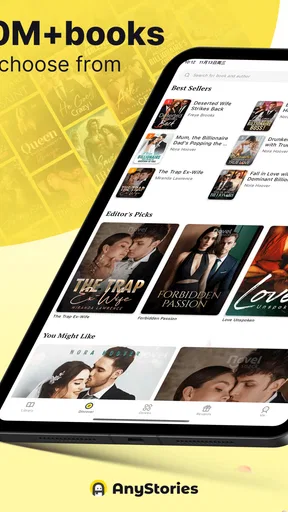
When you first open AnyStories, you're greeted with a sleek, user-friendly interface that invites you to explore its vast library. It’s like stepping into a cozy bookstore where everything is neatly organized, making it super easy to find your next read. The app has a modern design that’s not only easy on the eyes but also intuitive, which is a huge plus for me.
Exploring the Library
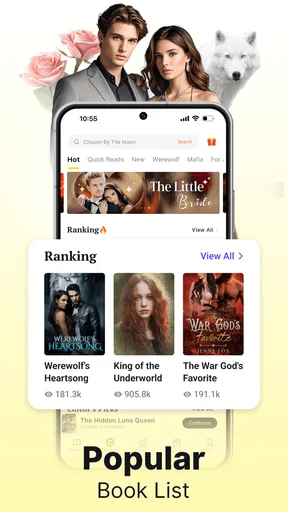
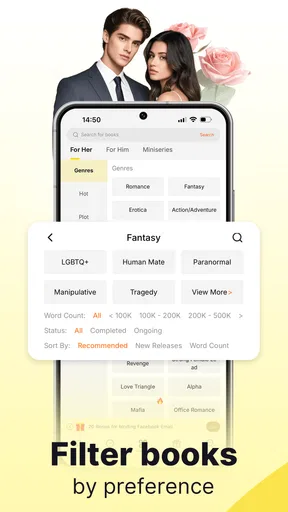
The sheer diversity of genres is what struck me first. From romance and fantasy to sci-fi and thriller, there's something for everyone. The app categorizes books in a way that makes browsing a breeze. You can explore bestsellers, new releases, or even hidden gems through curated collections. I found myself scrolling through endless options, adding more to my reading list than I’ll ever have time to finish!
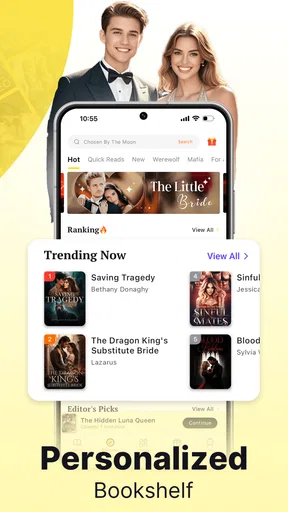
One feature that stood out is the personalized recommendations. Based on your reading habits, the app suggests books you might enjoy, which is pretty spot-on most of the time. I love that it feels like a virtual librarian is guiding me through my next literary adventure.
Reading Experience
Reading on AnyStories is a pleasure. The text is crisp and clear, and you can customize the reading settings to suit your preference. Want a bigger font or a different background color? No problem. The night mode is particularly useful for late-night reading sessions.
Another feature worth mentioning is the offline reading option. You can download stories and read them anywhere, anytime, without needing an internet connection. This was a lifesaver for me during a recent flight.
Community and Interactivity
What makes AnyStories feel like more than just a reading app is its community aspect. You can leave comments on chapters, engage with other readers, and even interact with authors. It’s like being part of a book club where everyone shares their thoughts and theories. This interactive element adds a layer of depth to the reading experience that I didn’t know I needed.
Plus, aspiring writers can even publish their own works. It’s an encouraging platform for budding authors to showcase their talent and get feedback from an active community of readers.
Subscription Models and Pricing
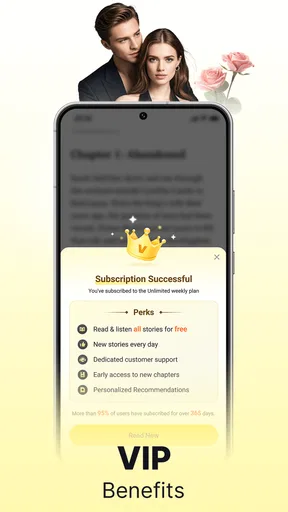
Now, let’s talk about costs. While AnyStories offers a plethora of free content, there’s also a subscription model for those who want more. The premium version unlocks exclusive stories and removes ads, providing a smoother reading experience. You can choose between monthly or yearly plans, and if you’re a voracious reader, it’s definitely worth considering.
Final Thoughts
All in all, AnyStories-Top Novels & Books is a fantastic app for anyone looking to enrich their reading experience. Whether you’re a casual reader or a bookworm, there’s plenty to keep you entertained. With its vast library, user-friendly design, and engaging community features, it’s a must-try for anyone who loves to get lost in a good story.
If you’re ready to embark on your next reading adventure, give AnyStories a try. You might just find your new favorite author or book series. Happy reading!
Pros
- Extensive library of diverse genres.
- User-friendly interface for easy navigation.
- Offline reading feature available.
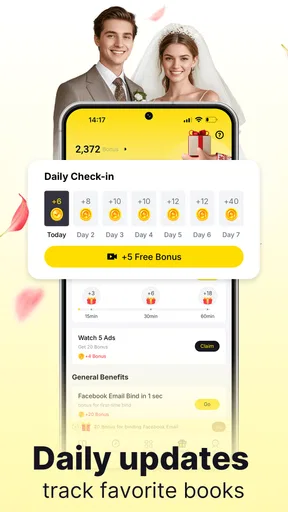
- Regular updates with new content.
- Interactive community for discussions.
Cons
- Limited free content access.
- In-app purchases can be costly.
- Occasional app performance issues.
- Advertisements may disrupt reading.
- Requires internet for initial downloads.
FAQs for AnyStories-Top Novels & Books
What types of stories are available on AnyStories-Top Novels & Books?
AnyStories offers a wide variety of genres, including romance, fantasy, mystery, and science fiction. Users can explore serialized novels, short stories, and exclusive content from emerging authors. This diversity ensures that there's something for every reader, whether you enjoy thrilling adventures or heartwarming tales.
Can I read AnyStories content offline?
Yes, AnyStories allows users to download their favorite novels and stories for offline reading. This feature is particularly useful for those who travel frequently or have limited internet access, allowing readers to enjoy their chosen content anytime, anywhere without needing a constant internet connection.
Is AnyStories free to use, or are there in-app purchases?
While AnyStories offers some free content, many stories require in-app purchases or subscriptions to unlock full access. Readers can purchase coins to unlock chapters or opt for a subscription model to enjoy unlimited reading. This monetization supports authors and provides continuous access to new content.
How does AnyStories support new and emerging authors?
AnyStories provides a platform for new authors to publish their work and reach a global audience. The app offers various tools and resources to help writers improve and promote their stories. This support encourages fresh voices in literature and offers readers unique and diverse content.
Are there interactive features available on AnyStories?
Yes, AnyStories incorporates interactive elements such as reader comments, ratings, and community discussions. These features allow readers to engage with authors and other readers, share feedback, and participate in vibrant community interactions, enriching the overall reading experience.


